Quickstart
Quickstart
Section titled “Quickstart”The fastest path from nothing to the two things the relay is for: a source pushes to an address that never changes while consumers come and go, and a backup takes over when the primary fails — without the consumers noticing.
You need a running relay, curl, and ffmpeg (any build with libsrt). RELAY below is the relay’s control address, HOST the host its media ports are on:
RELAY=http://<host>:8091HOST=<host>Launch a relay
Section titled “Launch a relay”The relay is a norsk-ctl product. With a norsk-ctl daemon running and a licence that entitles norsk-relay:
norsk-ctl product add --image norskvideo/norsk-relay:latest --license-file /path/to/licence.jsonnorsk-ctl instance launch-template relay --template norsk-relayproduct add registers the relay and fetches its default template, a standing relay with no streams declared; launch-template starts the Norsk engine and the relay side by side.
Its defaults: SRT ingest on UDP port 32448, the control API and operator UI on 8091, and a port range for egest. Change any of them on the configure screen, or with --param (--param SRT_PORT=6001). Open $RELAY in a browser for the operator UI.
A relayed stream
Section titled “A relayed stream”A stream is what consumers dial. It reads one or more inputs (where sources push) and has an output (the address consumers pull from). One call declares all three.
Declare a stream
Section titled “Declare a stream”Its input takes the stream’s name as its route; its output gets a port of its own.
curl -X POST "$RELAY/streams" -H 'content-type: application/json' -d '{ "name": "quick/cam", "inputs": [ { "protocol": "srt", "listeners": [ "srt-32448" ] } ]}'{ "recording": null, "recordingActive": false, "name": "quick/cam", "tags": {}, "source": { "kind": "switch", "policy": { "prefer": "first", "switchOn": [], "holdDownMs": 0, "bufferDelayMs": 0 }, "of": [ { "kind": "input", "input": "quick/cam.primary" } ] },... (42 more lines)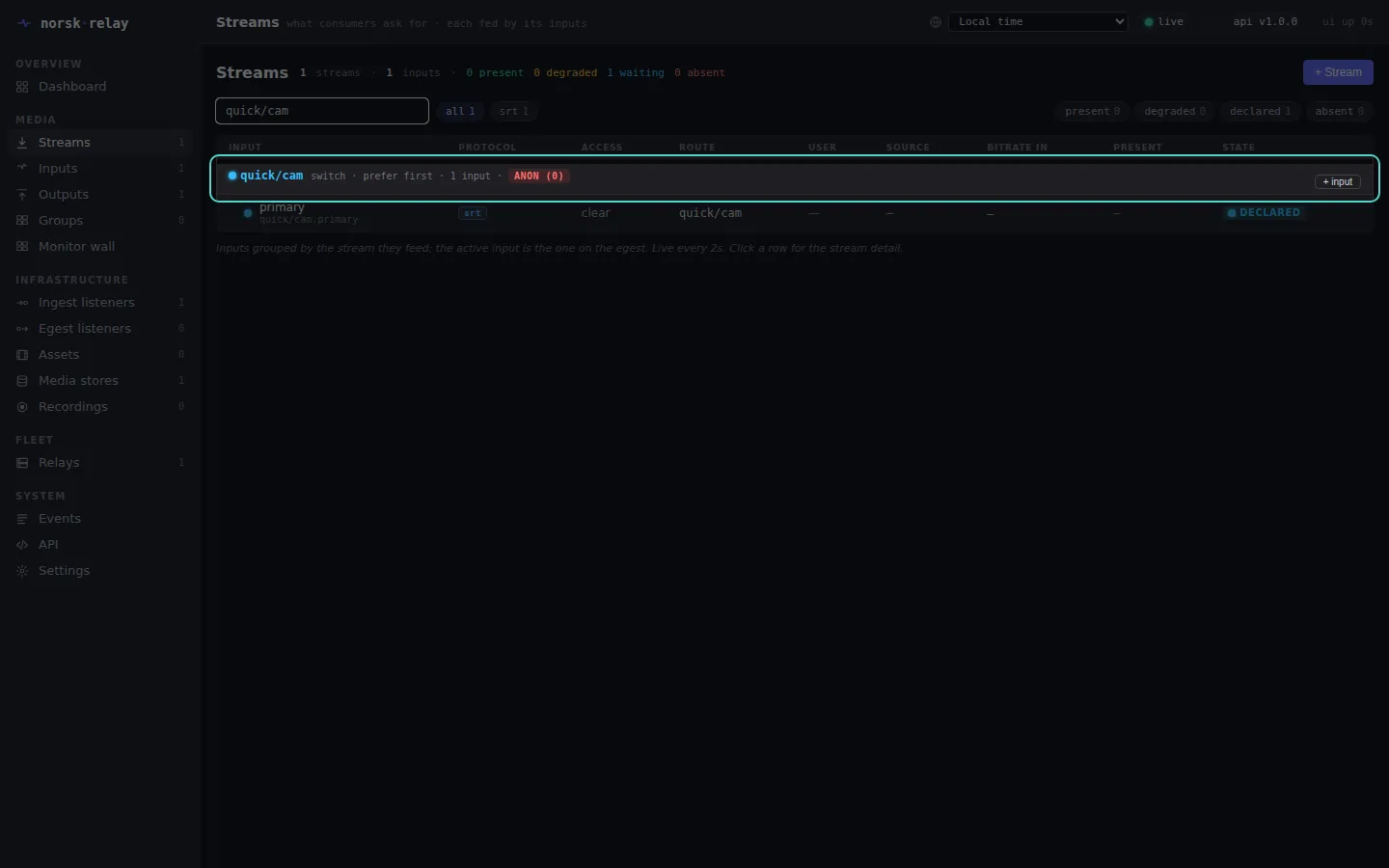
Push a source
Section titled “Push a source”The source sends the input’s route as its SRT streamid.
ffmpeg -re -f lavfi -i testsrc2=size=1280x720:rate=25 -f lavfi -i sine=frequency=440 \ -c:v libx264 -preset veryfast -tune zerolatency -g 50 -b:v 3M -c:a aac \ -f mpegts "srt://$HOST:32448?streamid=quick/cam"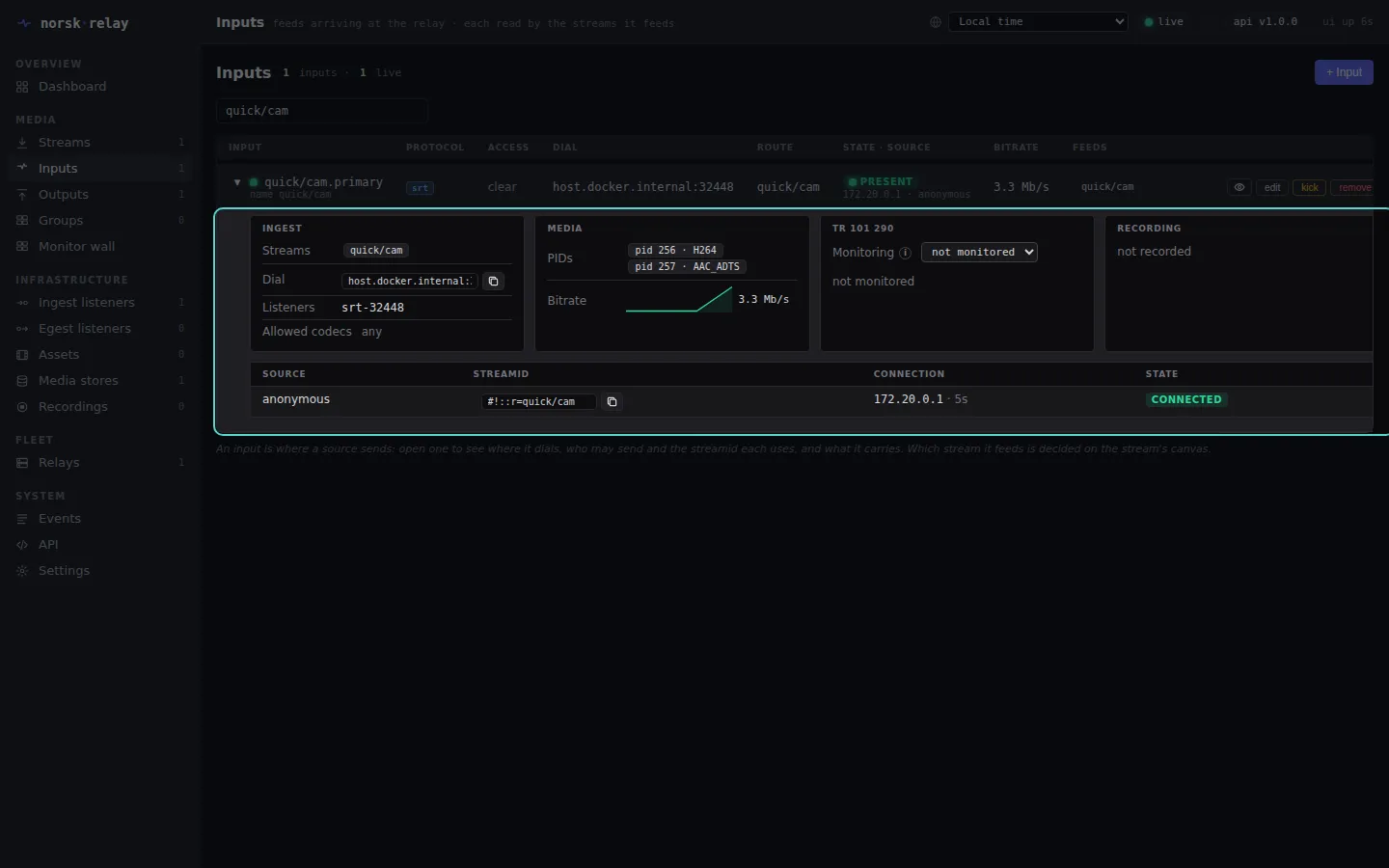
Pull it, twice
Section titled “Pull it, twice”Consumers dial the output’s port. Neither knows about the other, or about the source.
The port is the output’s port:
curl "$RELAY/outputs/quick%2Fcam" | jq -r .port27000With PORT set to it, each consumer is:
ffmpeg -i srt://$HOST:$PORT -c copy -f null -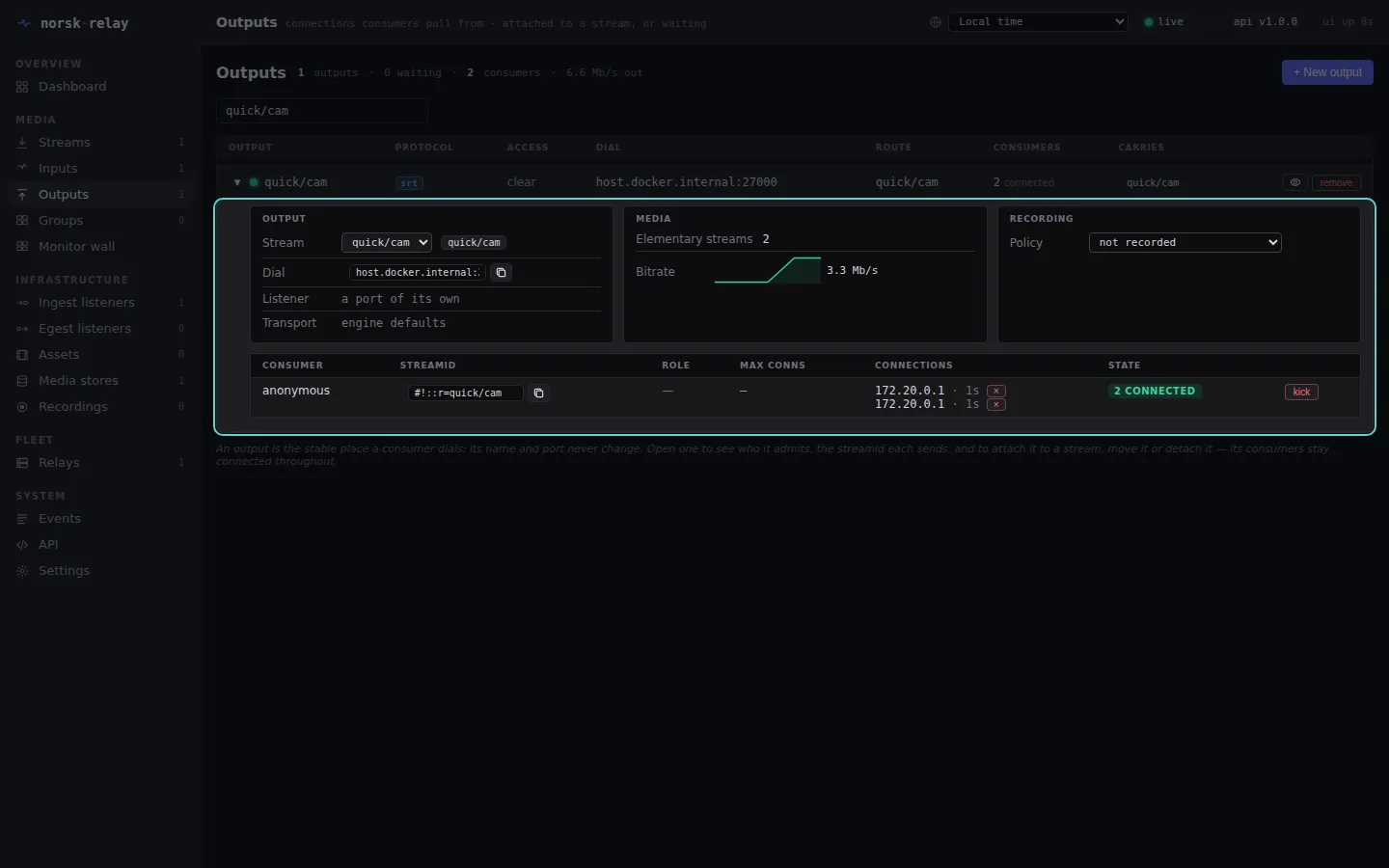
Failover
Section titled “Failover”Add a backup
Section titled “Add a backup”A backup is a second input, and the stream’s source lists it: a source names exactly the inputs it reads.
curl -X POST "$RELAY/inputs" -H 'content-type: application/json' -d '{ "name": "quick/cam", "role": "backup", "protocol": "srt", "route": "quick/cam-b", "listeners": [ "srt-32448" ]}'{ "monitor": null, "id": "quick/cam.backup", "name": "quick/cam", "role": "backup", "tags": {}, "protocol": "srt", "route": "quick/cam-b", "rist": null, "ristFlow": null, "seamless": null, "srtLatencyMs": null, "pull": null, "port": null, "state": "declared", "streams": [], "streamCount": 0, "sourcePresentMs": null, "degradedReason": null, "authenticated": false,... (37 more lines)curl -X PATCH "$RELAY/streams/quick%2Fcam" -H 'content-type: application/json' -d '{ "source": { "kind": "switch", "of": [ { "kind": "input", "input": "quick/cam.primary" }, { "kind": "input", "input": "quick/cam.backup" } ] }}'{ "recording": null, "recordingActive": false, "name": "quick/cam", "tags": {}, "source": { "kind": "switch", "of": [ { "kind": "input", "input": "quick/cam.primary" }, { "kind": "input", "input": "quick/cam.backup" } ], "policy": { "prefer": "first", "switchOn": [],... (54 more lines)Push the backup — a different tone, so you can hear which one is on air:
ffmpeg -re -f lavfi -i testsrc2=size=1280x720:rate=25 -f lavfi -i sine=frequency=880 \ -c:v libx264 -preset veryfast -tune zerolatency -g 50 -b:v 3M -c:a aac \ -f mpegts "srt://$HOST:32448?streamid=quick/cam-b"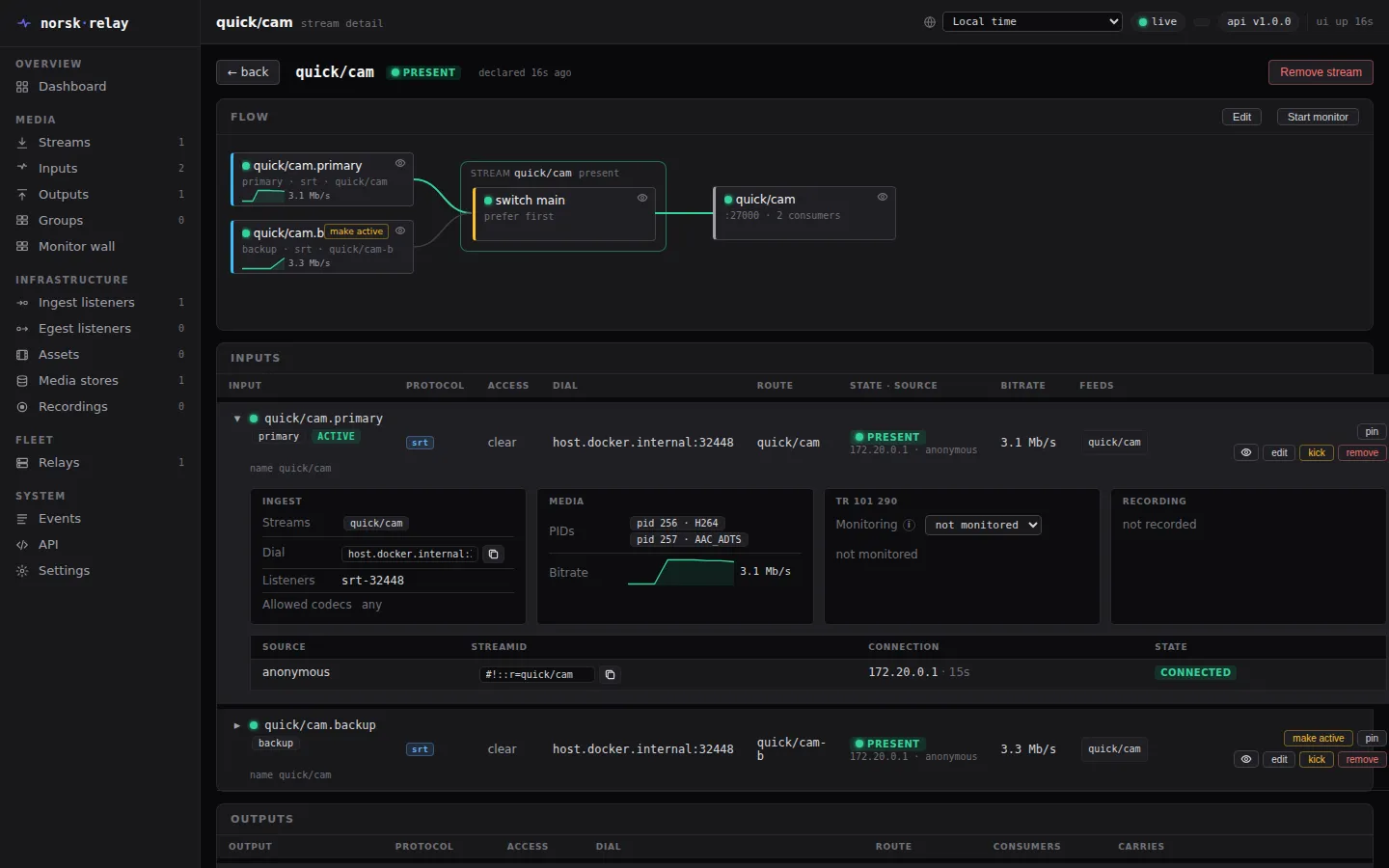
Pull the primary
Section titled “Pull the primary”Stop the primary’s encoder. The stream moves to the backup on the next keyframe — picture and sound together — and the consumers stay connected throughout.
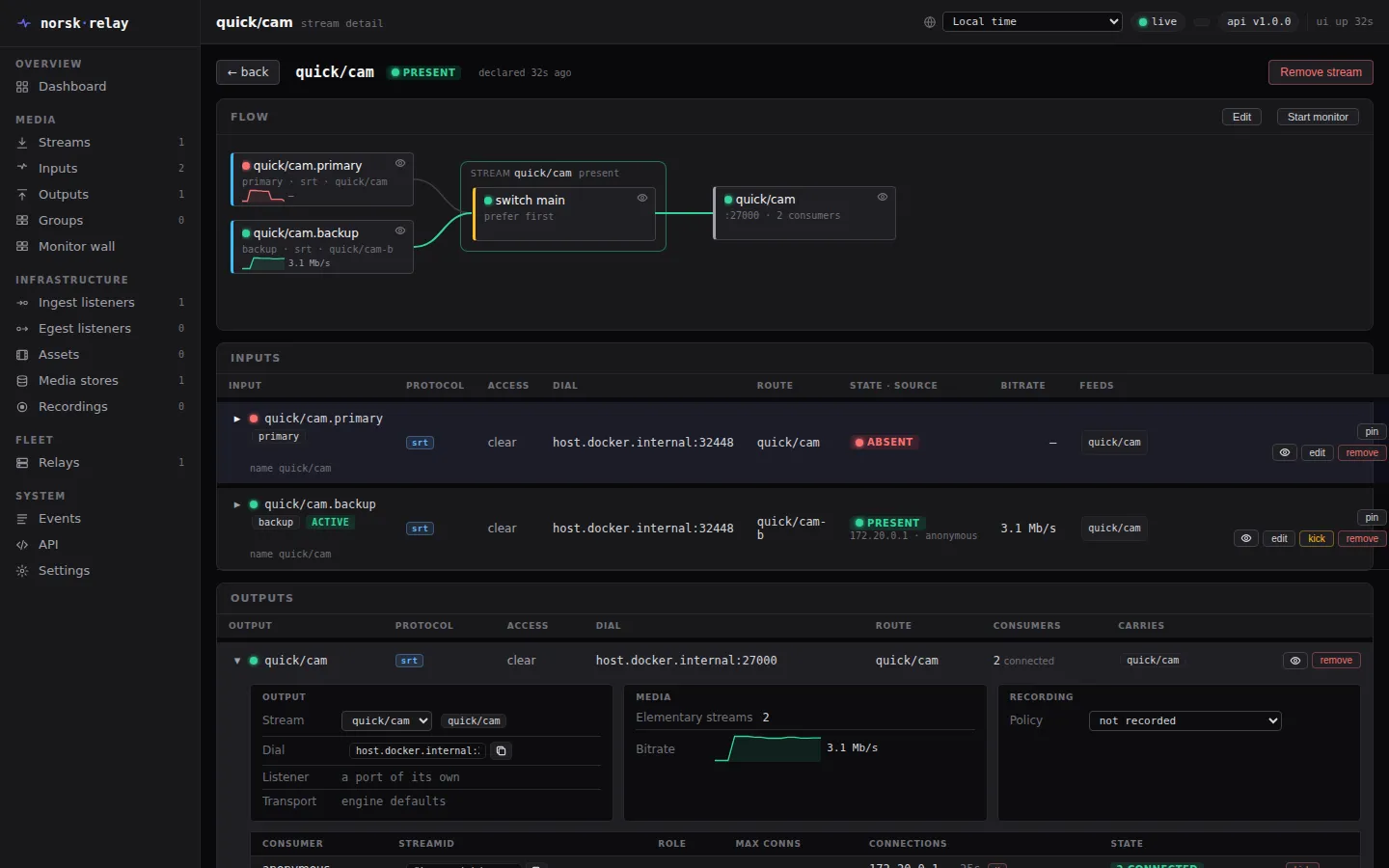
Read what happened
Section titled “Read what happened”Every cut is in the events, with its reason.
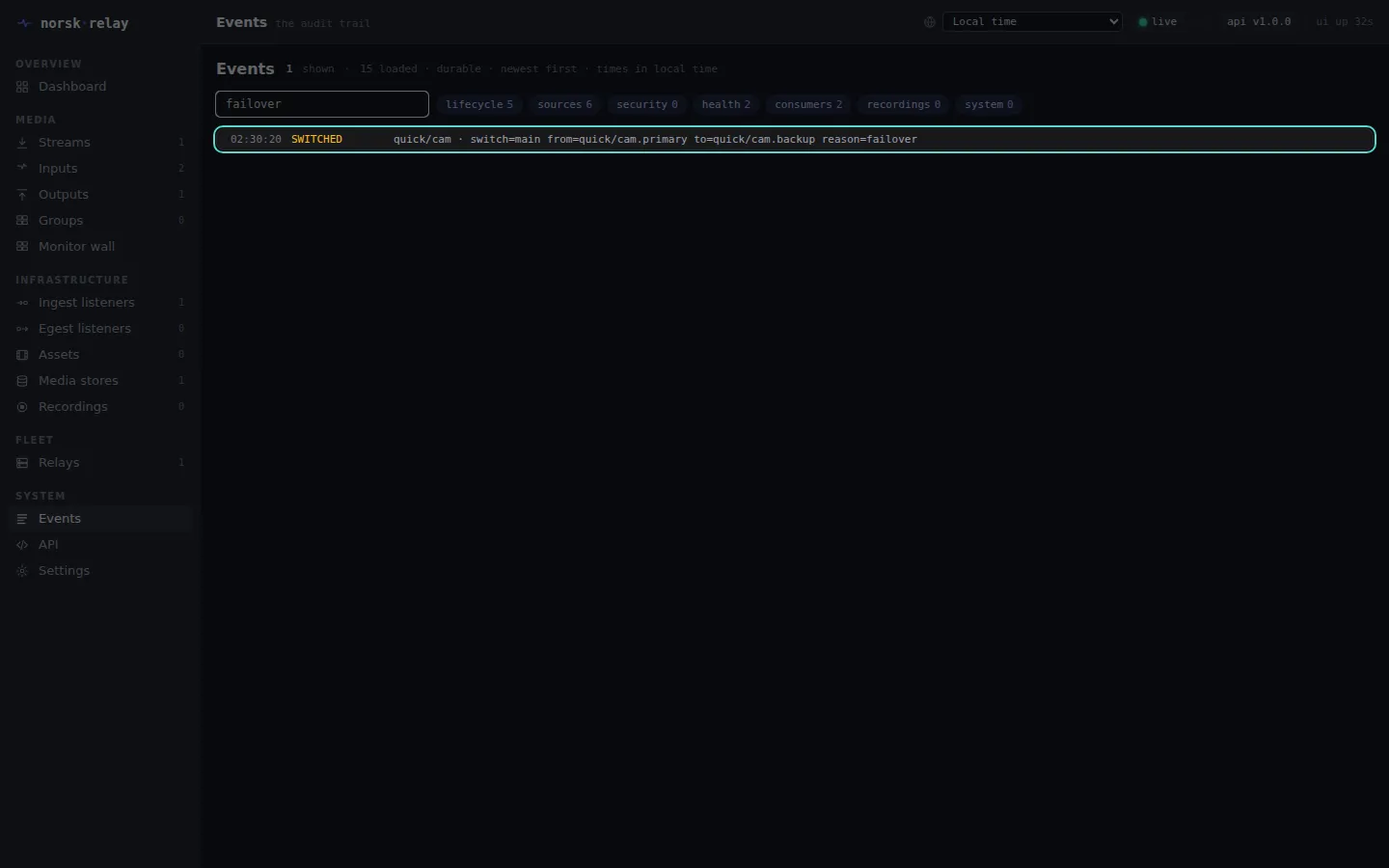
Around the UI
Section titled “Around the UI”-
Streams: each stream, its source tree on the canvas, which input is on air, and its outputs. The canvas edits the stream in place.
-
Inputs: every input. Open one for its panels — Ingest, Media, TR 101 290, Recording — with the sources it admits beneath.
-
Outputs: what consumers dial, who is connected, and kick or move them.
-
Events: everything that happened, newest first, in the time zone you pick at the top.
Clean up
Section titled “Clean up”Removing a stream leaves its inputs and outputs alone — an output’s consumers stay connected, waiting for a stream to carry — so each goes on its own.
curl -X DELETE "$RELAY/streams/quick%2Fcam"curl -X DELETE "$RELAY/inputs/quick%2Fcam.primary"curl -X DELETE "$RELAY/inputs/quick%2Fcam.backup"curl -X DELETE "$RELAY/outputs/quick%2Fcam"The operator guide runs a real event: named sources with their own passphrases, named consumers with alarms, failover policy and slates, monitoring, TR 101 290 and recordings. The full API is on the relay itself (API in the UI’s navigation) and in the reference.